Download MSPMSP.DLL
Microsoft
32 bits
Microsoft Media Device Service Provider
Supported operating Systems
- Windows 8
- Windows 7
- Windows Vista
- Windows XP
- Windows Server
- Windows 2000
- Windows 98
- Linux (WINE)
- Windows2000
- XP
- 2003
- Vista
mspmsp.dll details
| Machine Type | intel 386 or later, and compatibles |
| File OS | windows nt 32-bit |
| Object File Type | dynamic link library |
| Product Name | windows media device manager |
| File Name | mspmsp.dll |
| File Type | win32 dll |
| PE Type | pe32 |
| Subsystem | windows gui |
| Language Code | english (u.s.) |
| Character Set | unicode |
| Internal Name | mspmsp.dll |
| Original Filename | mspmsp.dll |
MSPMSP.DLL v.10.0.3790.3997
| File Name | mspmsp.dll |
| File Version | 10.0.3790.3997 |
| Architecture | 32 bits |
| File Size | 167 kb |
| File Modification | 2007:02:17 09:03:02+03:00 |
| File Access | 2011:10:04 00:10:56+04:00 |
| File Inode Change | 2015:04:10 10:34:41+03:00 |
| Time Stamp | 2007:02:17 17:02:22+03:00 |
| Linker Version | 7.10 |
| Code Size | 137216 |
| Initialized Data Size | 77312 |
| Entry Point | 0x10709 |
| OS Version | 5.2 |
| Image Version | 5.2 |
| Subsystem Version | 4.0 |
MSPMSP.DLL v.9.0.1.576
| File Name | mspmsp.dll |
| File Version | 9.0.1.576 |
| Architecture | 32 bits |
| File Size | 170 kb |
| File Modification | 2012:06:06 10:56:30+04:00 |
| File Access | 2015:04:09 16:38:05+03:00 |
| File Inode Change | 2015:04:09 16:38:05+03:00 |
| Time Stamp | 2005:01:28 19:53:18+03:00 |
| Linker Version | 7.10 |
| Code Size | 142336 |
| Initialized Data Size | 76800 |
| Entry Point | 0x1319a |
| OS Version | 5.2 |
| Image Version | 5.2 |
| Subsystem Version | 4.0 |
MSPMSP.DLL v.11.0.5721.5262
| File Name | mspmsp.dll |
| File Version | 11.0.5721.5262 |
| Architecture | 32 bits |
| File Size | 172 kb |
| File Modification | 2012:01:29 02:00:00+04:00 |
| File Access | 2015:04:10 02:18:25+03:00 |
| File Inode Change | 2015:04:10 02:18:25+03:00 |
| Time Stamp | 2009:01:31 07:34:52+03:00 |
| Linker Version | 8.0 |
| Code Size | 138752 |
| Initialized Data Size | 80896 |
| Entry Point | 0x122b6 |
| OS Version | 6.0 |
| Image Version | 6.0 |
| Subsystem Version | 5.1 |
* Please read our disclaimer before download
3 Steps to install and use the mspmsp.dll file
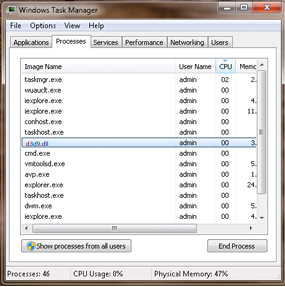
- Download this file to your PC
- Place the file to the folder, which is missing it
- If step 2 did not help you, it might be helpful for you to move the mspmsp.dll file to your system folder
- Windows 95,98, and Me - C:\Windows\System
- Windows 2000 & NT - C:\WINNT\System32
- Windows XP,Vista, and Windows 7 C:\Windows\System32
Dependency DLL
- advapi32.dll
Company Microsoft CorporationArchitecture 32 bits, 64 bits Description Advanced Windows 32 Base API, API avancées Windows 32 Operating system Windows 8, Windows Vista, Windows XP... File type Win32 DLL Version 6.1.7100.0, 6.1.7600.16385, 5.2.3790.4455, 6.2.9200.16384, 6.1.7601.17514, 5.1.2600.2180 Size 603 Kb More...0 - kernel32.dll
Company Microsoft CorporationArchitecture 32 bits, 64 bits Description Windows NT BASE API Client DLL, DLL du client API BASE Windows NT Operating system Windows XP, Windows Vista, Windows 8... File type Win32 DLL Version 6.1.7601.21772, 6.1.7100.0, 6.1.7601.17651, 5.2.3790.4480, 6.1.7601.18409, 1.0.0.0, 1.0.0.0, 6.1.7601.17651, 5.1.2600.2180 Size 967 Kb More...0 - msvcrt.dll
Company Microsoft CorporationArchitecture 32 bits Description Microsoft (R) C Runtime Library, Windows NT CRT DLL Operating system Windows XP, Windows Vista, Windows 8... File type Win32 DLL Version 4.20.0.6201, 6.0.8337.0, 7.0.3790.3959, 7.0.7100.0, 7.0.7601.17744, 6.10.8924.06, 7.0.2600.2180, 7.0.6002.18551 Size 354 Kb More...0